

- Mark as New
- Bookmark
- Subscribe
- Mute
- Subscribe to RSS Feed
- Permalink
- Report Inappropriate Content
01-08-2024 10:16 AM in
Galaxy Watch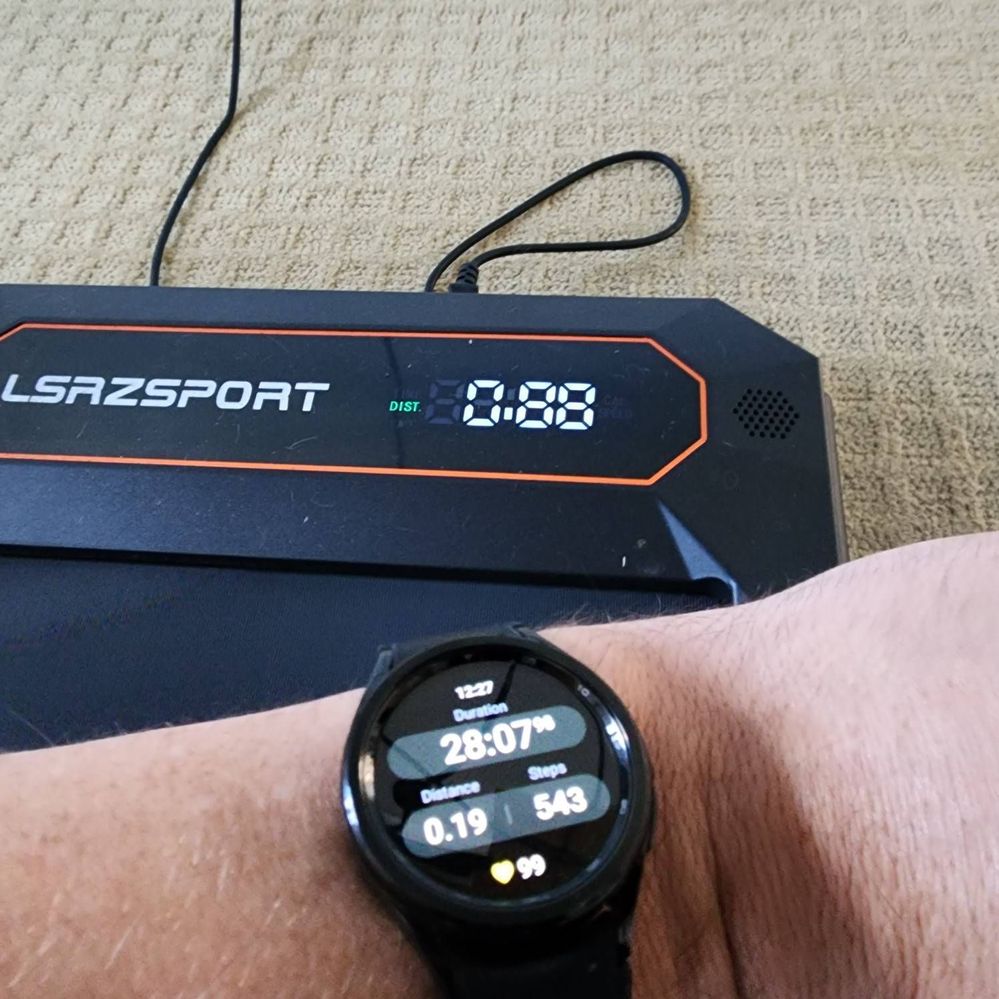

Solved! Go to Solution.

- Mark as New
- Bookmark
- Subscribe
- Mute
- Subscribe to RSS Feed
- Permalink
- Report Inappropriate Content
01-08-2024 08:34 PM in
Galaxy Watch
- Mark as New
- Bookmark
- Subscribe
- Mute
- Subscribe to RSS Feed
- Permalink
- Report Inappropriate Content
01-10-2024 10:28 AM (Last edited 01-10-2024 10:28 AM ) in
Galaxy WatchI have a similar problem, in that there is no way to adjust the whole number (number left of the decimal). So the watch assumes there is no way I could walk more than a mile on the treadmill.
- Mark as New
- Bookmark
- Subscribe
- Mute
- Subscribe to RSS Feed
- Permalink
- Report Inappropriate Content
01-10-2024 06:40 PM in
Galaxy Watch
- Mark as New
- Bookmark
- Subscribe
- Mute
- Subscribe to RSS Feed
- Permalink
- Report Inappropriate Content
01-11-2024 06:55 AM in
Galaxy WatchThat's interesting. How long did you walk for? I set my treadmill for 2 miles an hour and walked for an hour, and the treadmill read out said 2 miles. Still didn't have the option to change the 0 (number left of the decimal) at all.
- Mark as New
- Bookmark
- Subscribe
- Mute
- Subscribe to RSS Feed
- Permalink
- Report Inappropriate Content
01-11-2024 09:45 AM in
Galaxy Watch
- Mark as New
- Bookmark
- Subscribe
- Mute
- Subscribe to RSS Feed
- Permalink
- Report Inappropriate Content
02-28-2024 11:05 AM in
Galaxy Watch
- Mark as New
- Bookmark
- Subscribe
- Mute
- Subscribe to RSS Feed
- Permalink
- Report Inappropriate Content
03-20-2024 10:25 PM in
Galaxy Watch
 Samsung_Moderat
- Mark as New
- Bookmark
- Subscribe
- Mute
- Subscribe to RSS Feed
- Permalink
03-25-2024 07:47 AM in
Galaxy WatchThank you for reaching out. I can certainly understand your frustration with the distance not calculating properly when you are walking on the treadmill. So the first thing I would recommend is making sure that when using the treadmill you are moving your arms: Steps are not counted when there is no hand movement in the exercise. For example, steps may not be recorded when pushing a lawn mower or cart because your hands are not moving. The watch is intended to calculate real step counts while walking. Give these links a try to get more accurate step counts and distance out of your watch: https://www.samsung.com/us/support/troubleshooting/TSG01003112/#inaccurate-step-factors-on-your-sams... and https://www.samsung.com/us/support/troubleshooting/TSG01003204/
Please know the way that Samsung measure the distance on a workout is a combination of your steps, stride length, and GPS data. Steps and stride length are used to determine your traveled distance. Give this link a try for more information: https://content.samsungknowledge.com/tip/10093/en-US/index.html?locale=en
The next step I would recommend is to make sure your Samsung Health and watch are up-to-date.
If you have tried all the troubleshooting steps provided, I would recommend submitting an error report, as this will allow our team of engineers to get a hands-on look at the symptoms you are experiencing: https://www.samsung.com/uk/support/mobile-devices/how-do-i-send-an-error-report/

